Scientific Calculator
Calculatorsera.com
What is a Scientific Calculator and How It Works — Explained for Everyone
Hello, future math wizard!
Have you ever seen a calculator that looks like it has a million buttons? It’s not a regular, boring calculator; it’s a Scientific Calculator. Think of it as the Swiss Army Knife of math tools! It can do amazing tricks that your basic calculator can only dream about.
If you’re a student, a curious parent, or just someone who wants to understand the magic behind these powerful gadgets, you’ve come to the right place. We’re going to explain exactly what a Scientific Calculator is, why it’s so important, and how it works—in a super simple way that anyone can understand.
Table of Contents
Chapter 1: The Magic Box: What is a Scientific Calculator?
Imagine a regular calculator—it can add, subtract, multiply, and divide. That’s it. Now, imagine giving that regular calculator a superhero cape and some amazing superpowers. That’s essentially what a Scientific Calculator is!
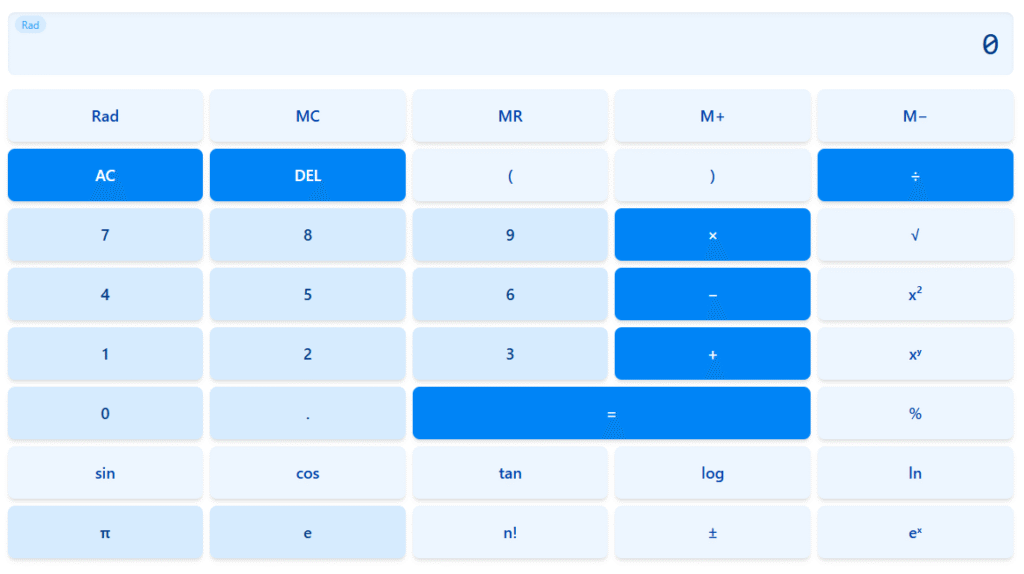
A Scientific Calculator is a special type of electronic calculator used to solve complicated mathematical problems that are common in science, engineering, and advanced schooling. It has many extra buttons for things like trigonometry, roots, exponents, and logarithms.
Why is it Called “Scientific”?
It’s called “scientific” because the functions of scientific calculator deal with the kind of math you use in science class, like physics, chemistry, and high-level algebra. It handles numbers that are either huge (like the distance to a star) or tiny (like the size of an atom) using a special trick called scientific notation.
What Makes It Different?
The main difference is the advanced functions of scientific calculator. A basic calculator has about 20 buttons. A good scientific one has 40, 50, or even more! These extra buttons are your tools for tackling tough math problems quickly and accurately.
Chapter 2: How Scientific Calculator Works: The Secret Sauce
So, how scientific calculator works? The magic happens inside a tiny computer chip. When you press a button, the calculator doesn’t just display the answer; it uses special mathematical rules (called algorithms) that are programmed into its brain.
Basic Functions vs. Advanced Functions
When you press the simple buttons (
1+11+1), the calculator chip performs the operation just like a basic calculator.
When you press an advanced button (like sin or log), the chip doesn’t look up an answer in a table. Instead, it performs a very long sequence of additions and multiplications extremely fast. These sequences are based on clever math formulas that approximate the true answer to a very high degree of accuracy.
Step-by-Step Example: Solving a Tricky Problem
Let’s try a common, slightly tricky problem a scientific calculator can handle easily: finding the square root of 81.
Example 1: Finding the Square Root (8181)
- Look for the Key: Find the square root symbol (
) on your calculator. - Input the Number: Type in the number 81.
- Press the Function Key: Press the
button. (Sometimes you press the function before the number, sometimes after—it depends on your calculator model!). - See the Result: The display instantly shows 9.
Easy, right? A basic calculator can’t do that without you guessing the answer!
Example 2: Using Trigonometry (Sine of 30 Degrees)
This is where the power really shines. Trigonometry (or “Trig”) is the study of triangles, and it’s essential for building bridges or sending rockets to space.
- Set the Mode: Most calculators need to be in the “DEG” (Degrees) mode for schoolwork. Look for a MODE button to change it if needed.
- Input the Angle: Type in the number 30.
- Press the Function Key: Press the
sinsin(sine) button. - See the Result: The display shows 0.5.
This simple calculation is a massive help for any calculator for students studying geometry or physics!
Chapter 3: Functions of a Scientific Calculator: Your Math Superpowers
The functions of scientific calculator are what make it truly powerful. Here are some of the most important superpowers packed into this little device:
Core Superpowers
- Trigonometry (sin, cos, tan): Used for calculating angles and sides of triangles. Essential for navigation and construction.
- Logarithms (log, ln): Used for understanding how fast things grow or decay, like populations or sound levels (the Richter scale for earthquakes uses logs!).
- Exponents (
xyxy): This button lets you raise a number to any power, like5454(which is5×5×5×55×5×5×5). Super useful for large-scale calculations. - Factorials (
n!n!): The exclamation mark in math! This is used in probability to quickly figure out the number of ways things can be arranged (e.g., how many different ways can you line up 5 friends?). - Scientific Notation: This lets you work with numbers that have a lot of zeros (like
6.02×10236.02×1023), making huge calculations manageable.
Chapter 4: Who Invented It? A Short History of the Scientific Calculator
Before the little electronic calculator, scientists and engineers used a device called a slide rule. It was a mechanical tool that used sliding scales to multiply, divide, and find trigonometry values. They were clever, but slow and tricky to use.
The Digital Revolution
The true history of the electronic Scientific Calculator begins in the late 1960s.
- 1968: The First Step: Hewlett-Packard (HP) released the HP 9100A. It wasn’t handheld, but it was one of the first electronic calculators that could handle advanced math functions.
- 1972: The Game Changer: Hewlett-Packard released the HP-35. This was the very first handheld scientific calculator. It was small enough to fit in a pocket and could do the work of a slide rule 10 times faster! It was an expensive, massive technological breakthrough.
- Evolution and Affordability: Soon after, companies like Texas Instruments (TI) made similar models, and as technology got smaller and cheaper, the Scientific Calculator became an affordable, essential tool for every calculator for students around the world.
Chapter 5: Who Needs This Power? Real-World Uses
You might think only rocket scientists need a scientific calculator, but they are incredibly useful for many people!
1. Calculator for Students
From middle school through college, students need a Scientific Calculator for:
- High School: Algebra, Geometry, Calculus, Physics, and Chemistry.
- College: Engineering, Economics, Computer Science, and any advanced math course.
- Standardized Tests: Calculators are mandatory for many parts of exams like the SAT and ACT.

2. Professionals
- Engineers: Designing bridges, electrical circuits, and buildings.
- Architects: Calculating angles for roof pitches and structural supports.
- Scientists: Performing complex data analysis and research experiments.
Chapter 6: Types of Scientific Calculators
Not all scientific calculators are created equal. They fall into three main groups:
1. Basic
These are the most common models. They have all the core functions (sin, cos, log, etc.) and are perfect for most middle and high school classes. They are easy to use and usually inexpensive.
2. Programmable
These calculators are like mini-computers. They allow you to save long formulas, write small programs, and even draw graphs! They are often used by advanced college students and engineers. They are more powerful, but also more complicated to use and sometimes restricted in testing environments.
3. Online Scientific Calculator
These are software versions that run right in your web browser or on your phone! They are incredibly handy because you don’t need to carry a physical device. Plus, many of them, like ours, are completely free to use!
Chapter 7: Basic vs. Scientific: Choosing Your Math Partner
Still wondering if you need an upgrade? Here is a quick look at the main differences between a standard (basic) calculator and a scientific one.
| Feature | Basic Calculator | Scientific Calculator |
| Main Functions | Add, Subtract, Multiply, Divide, Percent | ALL Basic functions PLUS: Trig, Log, Exponents, Roots, Scientific Notation |
| Typical User | Grocery shoppers, simple home budgeting | Calculator for students, Engineers, Scientists |
| Special Keys | Memory (M+, M-), Percent (%) | Pi (ππ), Parentheses, ENG, Hyp (Hyperbolic), STAT |
| Output | Usually 8 digits | Can handle 10-12 digits and use scientific notation |
| Cost | Very low | Low to Moderate |
Chapter 8: Try Our Online Scientific Calculator at Calculatorsera.com
If you need a powerful math tool right now, you don’t even need to run to the store!
Here at Calculatorsera.com, we understand that having the right tool available at the right time is crucial for learning. That’s why we provide a powerful, user-friendly online scientific calculator completely free.
Our online scientific calculator gives you all the advanced functions you need—from trigonometry to complex powers—right in your browser. It’s perfect for checking homework, solving quick problems at work, or just exploring the amazing world of advanced math.
You can use it on your laptop, tablet, or phone, making it the most accessible scientific calculator tool available.
Try our free Scientific Calculator at Calculatorsera.com
Final Thoughts: Conclusion
The Scientific Calculator is much more than a gadget; it’s a powerful key that unlocks the door to advanced mathematics and science. It helps us understand the world, from the curves of a basketball shot to the forces that hold the universe together.
Whether you’re using a physical one in your classroom or our free online scientific calculator to check your work, this incredible tool is ready to be your trusty partner on any math adventure! Keep exploring, keep calculating, and keep learning!
Frequently Asked Questions (FAQ)
What is the “SHIFT” or “2ND” button for?
The “SHIFT” or “2ND” button is a special key that unlocks the secondary function of almost every button. Think of it like the “Shift” key on a computer keyboard. For example, if the square root function (
) is the main function of a key, pressing “SHIFT” first might make that key perform the cube root (
33
) instead.
Can a scientific calculator draw graphs?
Some advanced scientific calculators, often called “Graphing Calculators,” can absolutely draw graphs. These are more specialized (and more expensive) than a standard scientific model and are typically required for higher-level high school or college math courses.
Why does my scientific calculator show “EXP” or “E” in the display?
This means your answer is either a very big or a very small number, and the calculator is using scientific notation. For example, if you see 5.2, it means
E
125.2 E 125.2
×
10
125.2×10¹²
, which is 5.2 trillion!
Is a scientific calculator allowed on all school tests?
No, not always. Most school and college entrance exams (like the SAT/ACT) allow a scientific calculator, but they often forbid programmable or graphing calculators because those models can store notes or formulas. Always check the official test rules beforehand!
What is Pi (ππ
) on the calculator?
Pi (ππ
) is a special number that is about 3.14159. It is used to calculate the area and circumference of circles. Your scientific calculator has a ππ
button that stores the value with many decimal places, giving you a very accurate answer every time you need it!
Thank you for reading this post, don't forget to subscribe!