GST / VAT Calculator
Calculatorsera.com
GST/VAT Calculator – Quickly Add or Remove Tax from Any Amount
Ever looked at a restaurant bill or an online shopping receipt and wondered, “How much of this is actually tax?” Or maybe you’re a small business owner creating an invoice and the math for GST or VAT is making your head spin. You’re not alone! Understanding these taxes seems complicated, but it doesn’t have to be.
Imagine a super-smart friend who can do all the tricky tax math for you in a split second. That’s exactly what the GST/VAT Calculator on Calculatorsera.com is! It’s a free, easy-to-use online tool that lets you add or remove tax from any amount with just a few clicks. Whether the price you have includes the tax or not, this calculator handles it all, saving you time and preventing costly mistakes.
Table of Contents
What Is GST and VAT?
Before we jump into the calculations, let’s understand what these two acronyms mean. In simple terms, they are types of taxes that governments add to the things we buy and the services we use.

Understanding GST (Goods and Services Tax)
Think of GST, or Goods and Services Tax, as a single tax that replaced a bunch of older, complicated taxes in countries like India, Canada, and Australia. It’s like having one big umbrella that covers all the smaller rain clouds of sales tax, service tax, and others.
The key idea behind GST is that it’s a “value-added” tax. This means the tax is applied at every step where value is added to a product.
Let’s follow a simple example with a notebook:
- Step 1 (The Manufacturer): A paper company sells a notebook to a shop for $1. They add a 10% GST, so the shop pays $1.10.
- Step 2 (The Shop Owner): The shop owner sells that same notebook to you, the customer, for $2. They add a 10% GST on their sale, so you pay $2.20.
The government collects a little bit of tax at each stage of the journey, making the system fair and transparent.
Understanding VAT (Value Added Tax)
VAT, or Value Added Tax, is the cousin of GST. It’s used in many countries like the United Kingdom, most of Europe, and the UAE. The core idea is very similar to GST—it’s a tax on the “value added” at each stage of a product’s life.
For example, if you buy a video game in the UK for £50 and the VAT rate is 20%, you will pay a total of £60 at the counter. The £10 is the VAT that the store collects and pays to the government.
GST/VAT Calculation Formula: The Simple Math Behind It
You don’t need to be a math whiz to understand this. The formulas are straightforward. Let’s break them down.
For GST/VAT Exclusive Amounts (Adding Tax)
This is when you have the original price before tax, and you want to find out the total price you’ll pay after tax.
Formula:
Total Amount = Original Amount × (1 + Tax Rate/100)
Example:
You see a nice pair of headphones priced at $1,000 (this is the exclusive price). The GST rate is 18%. Let’s calculate the total:
- Divide the tax rate by 100: 18/100 = 0.18
- Add 1: 1 + 0.18 = 1.18
- Multiply by the original amount: $1,000 × 1.18 = $1,180
So, you will pay $1,180 at the checkout.
For GST/VAT Inclusive Amounts (Removing Tax)
This is when you see the total price you paid (like on a receipt) and you want to figure out how much of that was just the tax.
Formula:
Tax Amount = Total Amount × (Tax Rate / (100 + Tax Rate))
Example:
You bought a microwave and the total on the bill is $1,180. You know the GST rate is 18%. How much tax did you pay?
- Add 100 to the tax rate: 100 + 18 = 118
- Divide the tax rate by this number: 18 / 118 ≈ 0.1525
- Multiply by the total amount: $1,180 × 0.1525 ≈ $180
This means out of the $1,180 you paid, $180 was the GST, and the original price of the microwave was $1,000.
Here’s a handy table to summarize these formulas:
| Type | Formula | Example (GST 18%) | Result |
|---|---|---|---|
| Add GST/VAT | Amount × (1 + Rate/100) | 1000 × 1.18 | 1180 |
| Remove GST/VAT | Amount × (Rate / (100 + Rate)) | 1180 × (18/118) | 180 |
How to Use the GST/VAT Calculator on Calculatorsera.com
Now for the easiest part! Why memorize formulas when you have a tool that does it instantly? Here’s a step-by-step guide to using our calculator.
Step-by-Step Instructions
- Enter your Amount: Type the number you want to calculate in the “Amount” box. This could be a price before tax or after tax.
- Select your Tax Type: Choose between GST or VAT using the toggle or dropdown menu. (The math is the same, but this helps keep your records clear).
- Enter your Tax Rate: Type the applicable tax rate percentage (e.g., 5%, 12%, 18%, 20%).
- Choose the Amount Type: This is the most important step! Select:
- Exclusive of Tax: If the amount you entered is the price before tax.
- Inclusive of Tax: If the amount you entered is the final price after tax.
- Click Calculate: Hit the “Calculate” button and watch the magic happen!
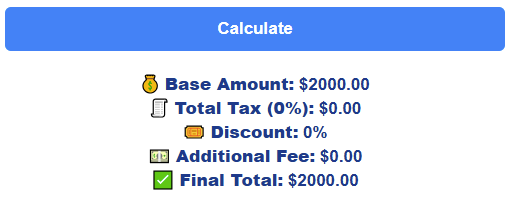
The calculator will instantly show you:
- The Tax Amount: The exact rupees, dollars, or pounds you’re paying in tax.
- The Total with Tax: The final price you’ll pay.
- The Amount before Tax: The original price of the item.
Example Scenario
Let’s say you are a freelance designer and you’re creating an invoice for a client. Your service fee is $2,000, and you need to add an 18% GST.
- You enter
2000in the Amount field. - You select GST as the Tax Type.
- You enter
18as the Tax Rate. - You select Exclusive of Tax.
- You click Calculate.
Voilà! The tool shows:
- Tax Amount: $360
- Total Payable: $2,360
You can now put $2,360 on your invoice, and everything is perfectly accurate.
Why Is the GST/VAT Calculator Useful?
This handy tool isn’t just for accountants. It has something for everyone!
For Business Owners
Imagine creating 10 invoices a day and manually calculating tax for each. It’s time-consuming and risky. The GST/VAT Calculator ensures your invoices are always accurate, helping you look professional and avoid billing errors that could upset clients or get you in trouble during tax season.
For Shoppers and Individuals
Ever been curious about how much tax you’re really paying on that new phone or fancy dinner? This tool gives you the power to know. You can compare pre-tax prices between different products or just satisfy your curiosity about where your money is going.
For Accountants and Students
If you’re learning about finance or taxes, this tax rate calculator is a fantastic learning aid. You can test different scenarios and check your manual calculations. For professionals, it’s a quick auditing tool to verify figures on the go.
Real-Life Examples
Let’s see the calculator in action with some everyday items:
| Item | Base Price | GST/VAT Rate | Total Price | Tax Amount |
|---|---|---|---|---|
| Restaurant Bill | $500 | 10% | $550 | $50 |
| Laptop | $1,000 | 18% | $1,180 | $180 |
| Grocery | $250 | 5% | $262.50 | $12.50 |
| Furniture | $2,000 | 12% | $2,240 | $240 |
With our GST calculator online, you can get these results instantly instead of reaching for a pen and paper every time.
GST vs VAT – Key Differences
While they are very similar, it’s helpful to know the main differences.
| Feature | GST | VAT |
|---|---|---|
| Meaning | Goods and Services Tax | Value Added Tax |
| Usage | Used in countries like India, Australia, Canada | Used in UK, EU, UAE |
| Structure | Unified tax system (one tax for all) | Can have multiple levels or rates for different categories |
| Simplicity | Aims to simplify by replacing multiple taxes | Can be more complex with different rates |
Benefits of Using an Online GST/VAT Calculator
✅ Instant Results: Get your numbers in one click—no more mental math.
✅ 100% Accuracy: Eliminate human calculation errors forever.
✅ Multiple Modes: Seamlessly switch between adding and removing tax.
✅ Universal Use: Works for both GST and VAT systems all over the world.
✅ Free & Mobile-Friendly: A powerful tool in your pocket, completely free on Calculatorsera.com.
Advanced Tips and Examples
Calculating Reverse GST/VAT (Remove Tax)
This is a very common need for businesses. Let’s say a client pays you $1,180 for a project (inclusive of 18% GST), and you need to report how much of that was tax revenue.
Using our calculator, you would:
- Enter
1180as the Amount. - Select GST.
- Enter
18as the Tax Rate. - Select Inclusive of Tax.
- Click Calculate.
The tool will show you that the Tax Amount is $180 and the Pre-Tax value was $1,000.
Multi-Tier Tax Rates (CGST, SGST, IGST)
In some countries like India, the total GST is split into smaller taxes. For example, a product sold within a state might have a total GST of 18%, split as 9% CGST (Central GST) and 9% SGST (State GST).
Our GST/VAT Calculator can handle this! You simply enter the total tax rate (18% in this case). The final calculation remains the same. The tool gives you the total tax amount, which you can then split equally if needed for your bookkeeping.
Common Mistakes People Make
A small mistake in tax calculation can lead to big problems. Here’s what to watch out for:
❌ Using the Wrong Tax Rate: Always double-check if your item falls under 5%, 12%, or 18%. A quick online search for your country’s tax slabs can help.
❌ Confusing Inclusive vs. Exclusive: This is the #1 error. Always ask: “Is this the price before tax, or is tax already in it?”
❌ Rounding Off Too Early: Doing manual math and rounding off numbers in the middle of a calculation can lead to inaccuracies. The calculator avoids this entirely.
❌ Mixing VAT and GST Terms: While the math is similar, using the correct term on official documents is important.
Pro Tip: Always double-check your tax rate and make sure to use the correct type (inclusive or exclusive) for accurate billing.
FAQs About GST/VAT Calculator
Is GST and VAT the same thing?
They are very similar in concept—both are consumption taxes. The main difference is in how they are implemented by different countries. GST is often a unified system, while VAT can have more variations.
Can I calculate both inclusive and exclusive tax?
Yes! The Calculatorsera GST inclusive and exclusive calculator is designed to handle both scenarios effortlessly.
What countries use VAT instead of GST?
Many countries use VAT, including the United Kingdom, the United Arab Emirates (UAE), and most nations in the European Union.
Is the calculator free?
Absolutely! All tools on Calculatorsera.com are 100% free to use, with no hidden costs or registration required.
Can I use this for my business invoices?
Yes, it’s perfect for business billing, accounting, and preparing financial reports. It ensures your numbers are always correct.
Why Use Calculatorsera.com for Your Tax Calculations?
In a world full of complicated financial tools, Calculatorsera.com stands out by being simple, powerful, and reliable. Our GST/VAT Calculator is:
- Clean and Responsive: It works perfectly on your computer, phone, or tablet.
- Fast and Accurate: Get precise results without any delays.
- Always Free: We believe in providing valuable tools without any barriers.
It’s the perfect companion for students, business owners, shoppers, and professionals alike.
Conclusion
Understanding GST or VAT doesn’t need to be complicated or scary. It’s a simple concept that, with the right tool, becomes incredibly easy to manage. Whether you’re a business owner preparing invoices, a shopper curious about your bills, or a student learning about finance, the GST/VAT Calculator on Calculatorsera.com is here to simplify your life.
Stop worrying about manual calculations and potential errors. Embrace the ease and accuracy of our free online tool.
👉 Try the GST/VAT Calculator today on Calculatorsera.com and manage your taxes smarter!
Thank you for reading this post, don't forget to subscribe!