Basic Calculator
Calculatorsera.com
Introduction
Do you ever get stuck on a math problem? Maybe you’re trying to split a pizza bill with friends or figure out how much you spent on your favorite snacks. Math is everywhere in our daily lives! But sometimes, doing it in your head or on paper can be tricky. That’s where a Basic Calculator comes to the rescue.
Imagine having a super-fast math friend who never makes mistakes. That’s what a Basic Calculator is! It’s a simple tool that helps you with everyday math in seconds. Whether you’re a student, a parent, or a shopkeeper, a Basic Calculator makes numbers easy and fun. Let’s dive in and learn all about this amazing tool!
Table of Contents

What Is a Basic Calculator?
A Basic Calculator is like a digital math helper. It’s a tool, either a physical device or an online one, that performs the four main math operations:
- Addition (+)
- Subtraction (−)
- Multiplication (×)
- Division (÷)
In simple words, it’s a machine that adds, subtracts, multiplies, and divides numbers for you. You give it the numbers and tell it what to do, and it gives you the answer right away. It’s the simplest form of a calculator and the foundation for all the more advanced ones, like a Scientific Calculator. Think of it as learning to walk before you run—mastering the basic calculator helps you understand all math tools better.
Functions of a Basic Calculator
A Basic Calculator has four main jobs. Let’s meet each one with a fun example!
Addition (+)
What it does: It brings numbers together to find the total sum.
Fun Example: Imagine you bought a comic book for $5 and a chocolate bar for $2. How much did you spend in total? You would add 5 + 2. The calculator will tell you the answer is $7. Easy!
Subtraction (−)
What it does: It finds the difference between two numbers, or how much is left over.
Fun Example: You have 10 candies, and you share 4 with your best friend. How many do you have left? You would subtract 10 – 4. The calculator will show you have 6 candies left.
Multiplication (×)
What it does: It’s a shortcut for adding the same number many times.
Fun Example: If there are 4 kids in your group and each has 3 pencils, how many pencils are there altogether? Instead of adding 3+3+3+3, you can multiply 4 × 3. The calculator gives you the answer: 12 pencils.
Division (÷)
What it does: It splits a number into equal parts.
Fun Example: You have a giant pizza with 8 slices, and you want to share it equally with 3 friends (so 4 people in total). How many slices does each person get? You would divide 8 ÷ 4. The calculator tells you everyone gets 2 slices. Perfect!
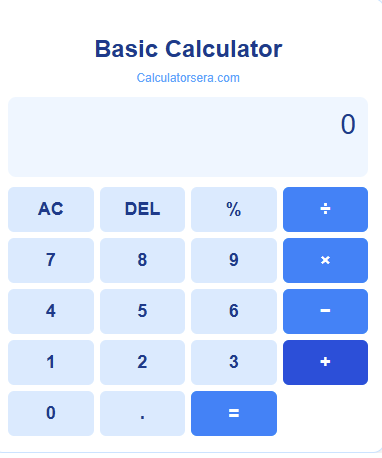
How Does the Online Basic Calculator Work?
Using an online Basic Calculator is like playing a simple game on your computer or phone. You don’t need to download anything! Here’s how it works:
- The Screen: When you go to a website like calculatorsera.com, you’ll see a digital calculator on your screen. It has a display screen (where the numbers and answers show up) and buttons with numbers and symbols (+, -, ×, ÷, =).
- The Buttons: You click on the number buttons to “type” your first number. Then, you click on the operation button (like + or -) that you want to use. Next, you click on your second number.
- The Magic “=” Button: When you press the “=” button, the calculator’s brain (which is a tiny computer program) instantly does the math for you. It follows your instructions and shows the correct answer on the screen. It all happens in a flash!
Step-by-Step: How to Use a Basic Calculator
Let’s learn how to use it with an example: What is 15 + 27?
- Step 1: Enter the First Number
Click the number buttons for 1 and then 5. You will see the number 15 on the screen. - Step 2: Choose the Operation
Now, click the + (plus) button. The calculator now knows you want to add. - Step 3: Enter the Second Number
Click the number buttons for 2 and then 7. You will see 27 on the screen. - Step 4: Press “=” to See the Answer
Finally, click the = (equals) button. Like magic, the answer 42 will appear on the screen!
It’s that simple. You can do this for subtraction, multiplication, and division too!
Real-Life Examples of Basic Calculator Use
You might be surprised how often you can use a Basic Calculator every day!
- Calculating Shopping Totals: Adding up the prices of items in your cart to see if you have enough money.
- Dividing Pizza Slices: Making sure everyone gets a fair share of dinner.
- Finding Total Marks: Adding up your scores from different tests to find your final grade.
- Subtracting Money Spent: Figuring out how much allowance you have left after buying a toy.
- Multiplying for a Recipe: Doubling a recipe to make enough cookies for your whole class.
Visual Section – Calculator Function Chart
Have you ever wondered which math operation people use the most? We did too! The chart below shows how often people typically use the four main functions on a Basic Calculator. As you can see, addition is the most popular!
This chart helps us see that people use addition for 40% of their calculations, making it the most common calculator function!
Benefits of Using a Basic Calculator
Why should you use a Basic Calculator? Here are the top reasons:
- Saves Time: Get answers in seconds instead of minutes.
- Reduces Mistakes: It does the math perfectly, so you can be sure your answer is correct.
- Easy to Use: With just a few clicks, anyone can use it.
- Works Everywhere: Our online calculator works on your phone, tablet, or computer. You can use it at home, in school, or at a store.
- Great for Everyone: Students can check homework, teachers can create worksheets, and shopkeepers can calculate bills.
Math Tip: Always use your calculator to double-check your handwritten answers. It’s a great way to learn and build confidence!
Manual Math vs Basic Calculator
Let’s compare doing math by hand versus using a calculator with an example: What is 45 + 38 + 17?
Manual Math:
You would write it down:
text
  45
  38
+ 17
-----
You start adding the column on the right: 5+8+7=20. You write down 0 and carry over 2. Then you add the next column: 2+4+3+1=10. The answer is 100. It takes a bit of time and you have to be careful with the carry-over.
Using a Basic Calculator:
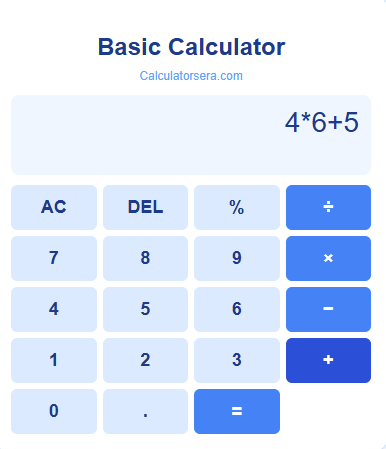
You simply press: 4 5 + 3 8 + 1 7 =
The answer, 100, appears instantly. It’s much faster and you don’t have to worry about carrying numbers incorrectly.
Fun Examples and Challenges
Ready to become a calculator expert? Try these fun challenges!
- Pocket Money Tracker: How much did you spend this week? If you got $10 and spent $3 on Monday and $4 on Friday, how much is left? (Answer: $3)
- Average Marks: You scored 85, 90, and 80 on three tests. Add them up and then divide by 3 to find your average score! (Answer: 85)
- Party Planner: If one juice box costs $2, how much will 12 juice boxes cost for your party? (Answer: $24)
Mini Quiz: Grab your notebook and try these. Then, use the Basic Calculator on our site to check your answers!
- 56 ÷ 8 = ?
- 17 × 4 = ?
- 102 – 49 = ?
Common Mistakes to Avoid
Even with a calculator, small errors can happen. Here’s what to watch for:
- Pressing the Wrong Button: Always check that you clicked the right number and operation.
- Forgetting to Clear: If you see a number from a previous calculation on the screen, always press the ‘C’ or ‘AC’ button to clear it before starting a new problem.
- Typing Numbers Incorrectly: Be careful! Typing 53 instead of 35 will give you a very different answer.
Types of Calculators (Simple Overview)
The world of calculators is big! Here’s a quick look at the different types:
- Basic Calculator: For +, -, ×, ÷. Perfect for everyday math.
- Scientific Calculator: For harder math like algebra and trigonometry, with buttons for sin, cos, and exponents.
- Financial Calculator: Used by adults for money-related calculations like loans and interest.
- Graphing Calculator: The most advanced, it can draw graphs and solve complex equations, often used in high school and college.
For most everyday needs, a Basic Calculator is all you require. When you’re ready for more, you can explore our Scientific Calculator!
Benefits of an Online Basic Calculator vs Physical Calculator
Why use an online calculator on calculatorsera.com instead of a physical one?
- No Need to Download: Use it directly in your web browser.
- Works Anywhere: As long as you have internet, you have a calculator.
- Mobile-Friendly: It works perfectly on your smartphone.
- Instant Results: The answers appear immediately with no lag.
- Always Available: You can’t lose it like you might misplace a small physical calculator.
- It’s Free! No need to spend money to buy a separate device.
Frequently Asked Questions (FAQs)
What is a basic calculator?
A basic calculator is a simple tool that performs the four main arithmetic operations: addition, subtraction, multiplication, and division.
How can I use a calculator online?
It’s easy! Just visit a website like calculatorsera.com, click the number and operation buttons on the screen, and press “=” to get your answer.
Can I use decimals in the calculator?
Absolutely! You can use decimal points for numbers like 10.5 or 3.14. Just click the decimal point button (.) when entering your number.
What is the difference between a basic and a scientific calculator?
A basic calculator handles simple math (+, -, ×, ÷). A scientific calculator can do much more complex math, like working with fractions, powers, and square roots. For more complex tasks, you might need our Percentage Calculator or Area Calculator
Is this calculator free to use?
Yes! Our online Basic Calculator is completely free to use as many times as you want.
Does it work on mobile phones?
Yes, it does! Our website is designed to work perfectly on mobile phones, tablets, and computers.
Can I use it for my homework?
Of course! It’s a great tool for checking your math homework and ensuring your answers are correct.
Conclusion
A Basic Calculator is more than just a tool; it’s your partner in making math simple, fast, and stress-free. From splitting a bill to acing a math test, it’s there to help you every step of the way. It builds your confidence with numbers and saves you precious time.
So, what are you waiting for? The next time you face a math problem, don’t struggle. Head over to calculatorsera.com and try our easy-to-use Basic Calculator.
Start calculating now — it’s fast, fun, and free!
Thank you for reading this post, don't forget to subscribe!